

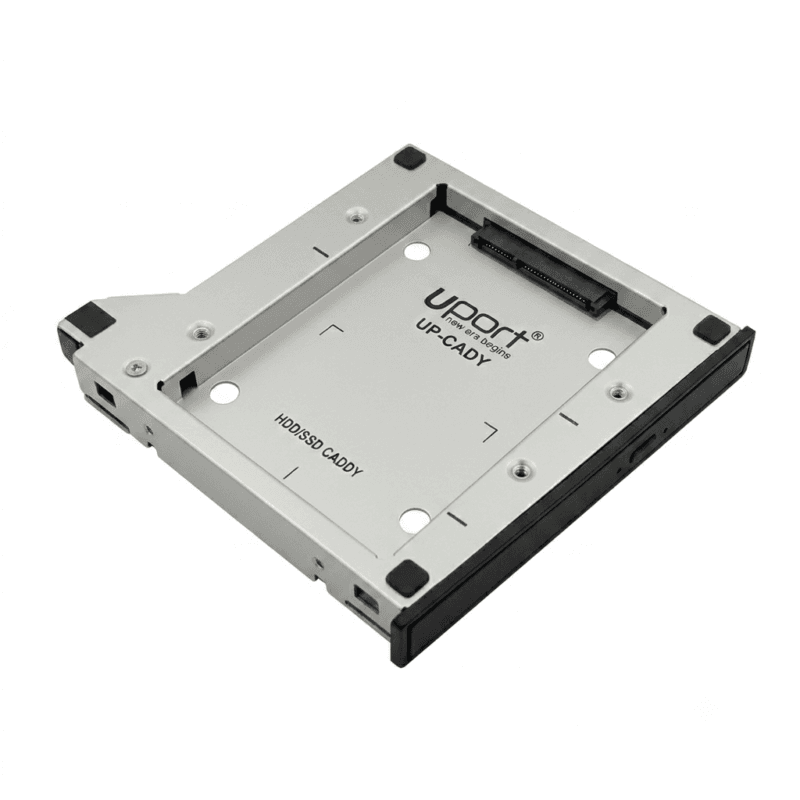
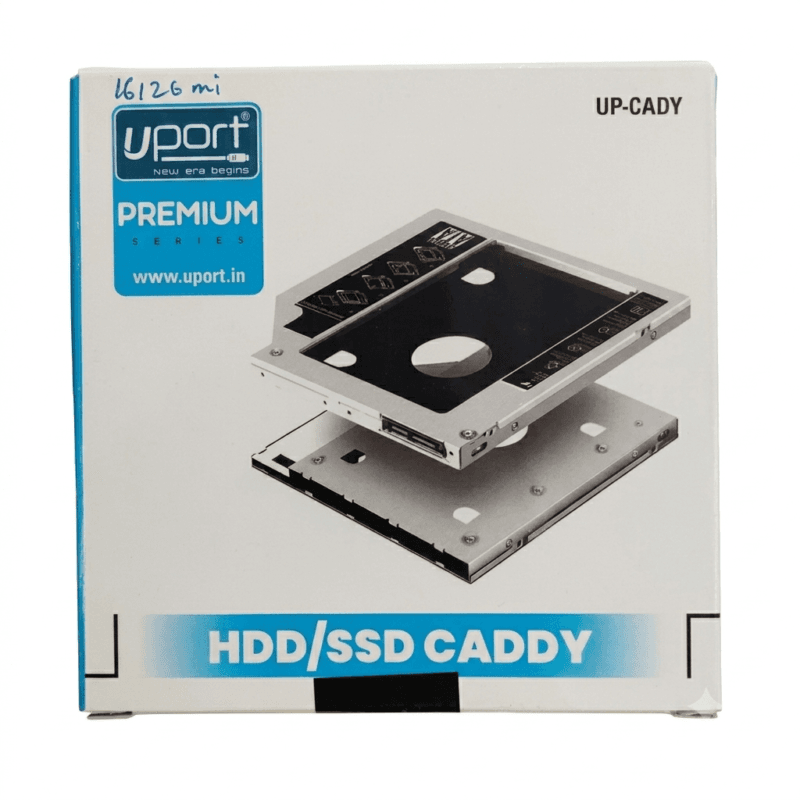
Uport Laptop HDD/SSD Caddy is designed to provide a convenient way to install a compatible 2.5-inch HDD or SSD in a laptop’s optical drive bay. It can be useful for users who want to expand their laptop storage or replace an optical drive with additional storage.
The Uport Laptop HDD/SSD Caddy provides a housing solution for a compatible 2.5-inch storage drive. By using a suitable optical drive bay, the caddy can provide an additional internal storage option for compatible laptops.
The Uport Premium Series Universal Laptop HDD/SSD Caddy provides a housing solution for a compatible 2.5-inch storage drive. By using the available optical drive bay, the caddy can help create additional internal storage space in compatible laptops.
Laptop HDD/SSD Caddy
The Uport Premium Series Universal Laptop HDD/SSD Caddy is designed for laptops that support the installation of a storage drive through a compatible optical drive bay. It allows a compatible 2.5-inch HDD or SSD to be installed in the caddy and fitted into the laptop’s optical drive position.
Before purchasing, check the laptop model, optical drive bay dimensions, interface specifications, and supported drive size to confirm compatibility.
Support for 2.5-inch HDD and SSD
The Uport Premium Series Universal Laptop HDD/SSD Caddy is designed to accommodate a compatible 2.5-inch hard disk drive or solid-state drive. This makes it useful for users who want to add another storage drive to a compatible laptop.
A 2.5-inch SSD can be considered when faster storage performance is required, while a compatible HDD can provide additional storage capacity depending on the drive selected.
Storage Expansion
This can be useful for storing documents, photographs, videos, applications, backups, and other files, depending on the capacity and specifications of the installed drive.
Suitable for Compatible Laptops
The Uport Premium Series Universal Laptop HDD/SSD Caddy is intended for compatible laptop models with a suitable optical drive bay. Laptop caddy dimensions and connector types can differ between models, so compatibility should be checked before ordering.
Important compatibility points include:
– Laptop optical drive bay size
– Required caddy height
– 2.5-inch drive compatibility
– Storage drive interface
– Laptop connector compatibility
– Laptop model specifications
Easy Storage Upgrade Option
For a compatible laptop, replacing an unused optical drive with a storage caddy can provide another location for a 2.5-inch HDD or SSD. This can be useful for users who need additional storage without removing the laptop’s existing primary storage drive.
The exact installation procedure depends on the laptop design. Users should follow the laptop manufacturer’s instructions when removing or replacing the optical drive.
HDD or SSD Installation
The Uport Premium Series Universal Laptop HDD/SSD Caddy can be used with a compatible 2.5-inch HDD or SSD. Once the storage drive is correctly installed in the caddy, the complete unit can be fitted into the compatible laptop’s optical drive bay.
Make sure the storage drive is securely positioned and that the connectors are properly aligned before installing the caddy in the laptop.
Useful for Data Storage
Adding a second storage drive can be useful for separating different types of files or increasing the total available storage capacity. Depending on the installed drive and laptop configuration, the additional storage can be used for documents, media files, software, backups, and other data.
The available storage capacity depends on the HDD or SSD installed in the caddy.
Home and Office Use
The Uport Premium Series Universal Laptop HDD/SSD Caddy can be useful for laptops used at home, in offices, businesses, educational environments, and other locations where additional internal storage is required.
It provides a practical option for compatible laptop users who want to make use of an existing optical drive bay.
Installation Considerations
Before installing the Uport Premium Series Universal Laptop HDD/SSD Caddy, switch off the laptop and follow the manufacturer’s recommended procedure for removing the optical drive. Ensure that the replacement caddy matches the physical dimensions and connector requirements of the laptop.
Back up important data before making hardware changes. After installation, the operating system may require the new storage drive to be detected, partitioned, or formatted before it can be used.
Compatibility Check
Not every laptop supports every universal HDD/SSD caddy. The optical drive bay height, connector position, laptop design, and storage drive specifications should be checked before purchasing.
If you are unsure about compatibility, compare your laptop’s existing optical drive dimensions and connector details with the caddy specifications.
Product Summary
Uport Premium Series Universal Laptop HDD/SSD Caddy is designed to install a compatible 2.5-inch HDD or SSD in a laptop’s optical drive bay. It provides a practical storage expansion option for compatible laptops where the optical drive is not required.
The caddy can be useful for adding internal storage for documents, media, applications, backups, and other files. Always check the laptop model, optical bay dimensions, connector type, and supported storage drive specifications before purchasing.


Reviews
There are no reviews yet.