

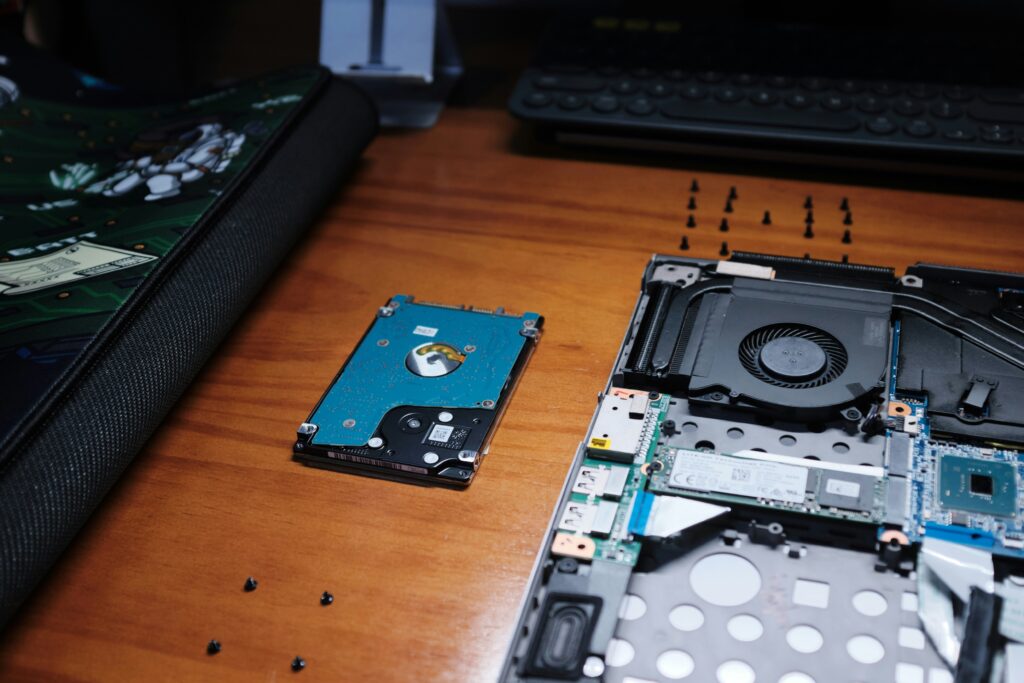
IT hardware rarely becomes useless the moment a business replaces it. Laptops, desktops, servers, monitors and networking equipment can often continue serving a purpose long after their first deployment, either through upgrades, repairs, refurbishment or reuse.
For businesses managing dozens, hundreds or even thousands of devices, extending hardware life is more than a cost-saving exercise. It can reduce unnecessary purchasing, limit the volume of electronic waste generated and keep valuable materials in use for longer.
The challenge is knowing what to do with equipment at each stage of its lifecycle. Some devices can be upgraded and returned to service, others can be refurbished and redeployed, while equipment that has genuinely reached the end of its useful life needs to be disposed of through appropriate recycling channels.
Why Extending IT Hardware Life Matters
The environmental impact of IT equipment begins long before a device reaches an office. Manufacturing electronics requires raw materials, energy and complex supply chains. When functioning equipment is replaced unnecessarily, the resources invested in producing that equipment are effectively lost before the end of its potential useful life.
This is one reason why circular economy principles are becoming increasingly relevant to technology management. Instead of following a simple take, make, use and dispose model, a circular approach aims to keep products and materials in use through maintenance, reuse, refurbishment, remanufacturing and recycling. The overview of the circular economy provides a broader look at how these practices can help reduce resource consumption and emissions.
There is also a growing waste problem to consider. According to the United Nations Institute for Training and Research (UNITAR), the world generated approximately 62 million tonnes of electronic waste in 2022, while only 22.3% was formally collected and recycled. The amount of e-waste is projected to reach 82 million tonnes by 2030. UNITAR’s Global E-waste Monitor highlights the scale of the challenge.
For businesses, keeping usable IT equipment in service for longer is therefore one practical way to reduce the amount of equipment entering the waste stream.
Start With Maintenance and Upgrades
The simplest way to extend hardware life is often to maintain what you already have.
Regular cleaning, component replacement, software updates and preventive maintenance can keep devices operational for considerably longer. A laptop that appears outdated may only need additional RAM, a larger storage drive or a battery replacement to remain useful for another few years.
Businesses can establish a basic hardware assessment process before automatically replacing equipment. Consider:
- Is the device still reliable?
- Can its performance be improved through an upgrade?
- Is the operating system still supported?
- Are replacement components available?
- Does the device still meet the user’s workload requirements?
- Would repairing it cost significantly less than replacement?
This approach is particularly useful for organisations with large fleets of standardised equipment. Rather than replacing every device on a fixed schedule, businesses can make replacement decisions based on condition, performance and business requirements.
Reuse Before Replacement
Not every device needs to remain with its original user.
An employee may need a high-performance laptop for software development, data analysis or design work, while another employee may have much simpler computing requirements. When employees upgrade their equipment, older devices can potentially be reassigned to roles with lower hardware requirements.
Businesses can also establish internal reuse programmes for equipment that is still functional but no longer suitable for its original purpose.
This creates a simple hierarchy:
- Keep the device with the current user if it remains suitable.
- Upgrade or repair it when practical.
- Redeploy it internally when another user can make use of it.
- Refurbish it for another deployment or resale.
- Recycle it responsibly when it has reached the end of its useful life.
The objective is not to keep every piece of hardware forever. It is to avoid treating usable equipment as waste simply because it is no longer suitable for its first use case.
When Refurbishment Makes Sense
Refurbishment sits between simple reuse and recycling.
A refurbished device may undergo inspection, cleaning, component replacement, data erasure, testing and cosmetic improvements before being returned to service. Depending on the equipment, this could involve replacing batteries, storage drives, memory modules, keyboards, screens or other components.
For businesses, refurbishment can provide several benefits. It can create a lower-cost source of equipment for employees, provide devices for secondary business functions and create resale value from hardware that would otherwise be discarded.
Refurbishment also supports the broader principle of keeping products in circulation for as long as possible. Instead of extracting value from a device only once, businesses can potentially extend its useful life across multiple users or ownership cycles.
Build a Proper IT Asset Disposition Process
Eventually, every device reaches the point where continued use or refurbishment no longer makes financial or technical sense. This is where responsible disposal becomes important.
A proper IT asset disposition process should cover more than simply handing old equipment to a recycler.
Businesses should first create an inventory of equipment leaving their organisation. This should include basic information such as:
- Device type and model
- Serial number or asset ID
- Current condition
- Previous user or department
- Data stored on the device
- Intended outcome, such as reuse, refurbishment, resale or recycling
The next step is secure data destruction.
A laptop or server can contain sensitive business information even after files have been deleted. Devices being transferred to another user, sold or sent for recycling should therefore go through an appropriate data sanitisation process.
The U.S. Environmental Protection Agency recommends deleting personal information before donating or recycling electronics and also advises considering hardware or software upgrades instead of immediately purchasing new equipment. The EPA’s guidance on electronics donation and recycling provides practical recommendations for managing used electronics.
Choose the Right Recycling Partner
When equipment genuinely reaches the end of its useful life, the choice of recycling or waste management partner matters.
Businesses should look for providers that can demonstrate how collected equipment is handled after pickup. Important questions include:
- Where is the equipment processed?
- How is data destruction documented?
- Are usable devices separated for refurbishment?
- Are components sent to authorised recycling facilities?
- Can the provider provide collection and processing records?
- Can the business track the final destination of its equipment?
- Does the provider support relevant regulatory or reporting requirements?
Traceability is particularly important for larger organisations. Simply receiving a certificate stating that equipment was recycled may not provide enough visibility into what actually happened to the assets.
In India, businesses can find examples of waste management companies combining e-waste management, resource recovery, compliance services and refurbishment. Saahas Zero Waste is one example, covering its e-waste services alongside refurbished laptop processing and broader corporate waste management operations.
The important point is not to choose a provider simply because it collects electronic waste. Businesses should understand the complete journey from collection to reuse, refurbishment or final material recovery.
Protect Data Before Reusing or Disposing of Hardware
Extending the life of IT hardware should never come at the expense of data security. A device that is perfectly suitable for refurbishment may still contain sensitive business information, credentials, customer records, emails, proprietary documents or other data from its previous user.
Simply deleting files, emptying the recycle bin or performing a standard factory reset should not automatically be treated as sufficient protection for every type of device or data. Data can remain on storage media after ordinary deletion, which is why organisations should have a defined media sanitisation process before equipment is transferred, refurbished, sold, donated or recycled.
The National Institute of Standards and Technology (NIST) now recommends treating media sanitisation as part of an organisation-wide process for protecting information throughout the hardware lifecycle. Its current Guidelines for Media Sanitization covers appropriate sanitisation and disposal controls based on the sensitivity of the information involved.
Classify the Data Before Choosing a Sanitisation Method
Not every device requires the same level of treatment.
Before hardware leaves the organisation, businesses should consider what type of information is stored on it and the potential consequences if that information were recovered. A device that previously contained publicly available information presents a different risk from one that stored financial records, customer information, intellectual property, employee data or authentication credentials.
This assessment should determine the appropriate sanitisation method and whether the device can safely be reused.
NIST’s current guidance distinguishes between sanitisation approaches that make data recovery infeasible while potentially preserving the storage device for reuse and methods that destroy the media entirely.
Use Appropriate Sanitisation Methods
For equipment that will be refurbished or reused, the objective is to remove the previous owner’s data while preserving the device wherever possible.
Depending on the storage technology and security requirements, this may involve an organisation-approved secure erase process, a supported device sanitisation command or cryptographic erase. Modern storage devices can behave differently from traditional hard drives, so businesses should avoid relying on a single generic method for every device.
For equipment containing highly sensitive information, physical destruction of the storage media may be more appropriate when secure reuse cannot be reliably established.
The important point is that the sanitisation method should match the storage technology and sensitivity of the information, rather than simply following the same procedure for every laptop, server or drive.
Separate Data Sanitisation From Physical Disposal
Data security should happen before equipment enters the refurbishment or recycling chain.
A practical process can look like this:
- Identify the asset
Record the device, serial number, storage media and assigned user or department. - Determine the data sensitivity
Establish what type of information may be stored on the device. - Back up required business data
Transfer information that the organisation needs to retain before sanitisation begins. - Sanitise the storage media
Use an approved method appropriate for the device and data classification. - Verify the sanitisation
Confirm that the process completed successfully rather than assuming that a command or software process worked. - Document the result
Record the asset, sanitisation method, date, responsible person or provider and outcome. - Release the device for reuse, refurbishment or disposal
Only after the security requirements have been satisfied should the hardware move to its next stage.
This creates an important separation between data destruction and hardware disposal. A device can be environmentally suitable for refurbishment while still being unsafe to hand over because its data has not been properly sanitised.
Require Evidence From Third-Party Providers
Businesses that outsource refurbishment, resale or recycling should also understand how the provider handles data-bearing equipment.
Instead of asking only whether a provider “deletes the data”, ask:
- What sanitisation standard or procedure do you follow?
- Which methods are used for HDDs, SSDs and other storage technologies?
- How is sanitisation verified?
- Can you provide asset-level records?
- Who is responsible for the process?
- What happens when a storage device cannot be securely sanitised?
- Is the storage media destroyed when reuse cannot be securely established?
- Can you provide documentation showing that the process was completed?
For larger IT estates, asset-level documentation can become particularly important. A spreadsheet or asset management record linking each device to its sanitisation status can provide a much stronger audit trail than a generic statement that “all equipment was wiped.”
This is especially important when equipment is being sent to an external refurbishment or recycling partner. The organisation remains responsible for making sure its information is appropriately protected even when the physical hardware has left its premises.
When Recycling Is the Better Option
Refurbishment should not be treated as the answer for every device.
Some equipment may be too old, damaged, inefficient or difficult to repair. Continuing to maintain obsolete equipment can eventually create higher costs and security risks than replacing it.
There may also be cases where a storage device contains highly sensitive information and cannot be reliably sanitised for reuse. In those situations, destroying the storage media may be more appropriate than attempting to refurbish the entire device.
When a device has reached that stage, recycling becomes the more responsible option.
The key is to make the decision based on both the physical condition of the hardware and the security requirements of the information it contains.
A responsible IT asset disposition process therefore has two parallel objectives: maximise the useful life of equipment where it is safe and practical to do so, while ensuring that information cannot be recovered when equipment changes ownership or reaches the end of its life.
A Practical IT Hardware Lifecycle Strategy
Businesses do not need a complicated system to start improving their hardware lifecycle management.
A practical approach could look like this:
1. Inventory
Know what equipment the organisation owns, where it is located and what condition it is in.
2. Maintain
Use preventive maintenance and software updates to keep devices functional.
3. Assess
Before replacing equipment, determine whether an upgrade or repair could extend its useful life.
4. Reuse
Redeploy suitable devices to employees or departments with lower hardware requirements.
5. Refurbish
Repair, clean, upgrade and test equipment that still has useful value.
6. Resell or donate
Where appropriate, transfer refurbished equipment to secondary users rather than sending it directly for recycling.
7. Securely erase data
Ensure sensitive information is removed before equipment leaves the organisation.
8. Recycle responsibly
Send equipment that has reached the end of its useful life through an appropriate recycling and recovery process.
Extending Hardware Life Is a Business Decision Too
Responsible IT hardware management is not simply an environmental initiative. It can also improve asset utilisation and reduce unnecessary expenditure.
A business that understands the condition and remaining value of its equipment can make better replacement decisions. Instead of following an automatic replacement cycle, it can determine which devices should be repaired, upgraded, redeployed, refurbished, sold or recycled.
This creates a more deliberate approach to technology procurement.
The objective is not to avoid buying new technology. New equipment will sometimes be necessary because of performance requirements, security considerations, software compatibility or the changing needs of the business.
The opportunity is to make sure that replacement happens for a reason, and that the previous equipment is given the most appropriate next step.
IT hardware has a lifecycle that extends beyond its first owner or first deployment. With proper maintenance, businesses can keep equipment productive for longer. Through internal reuse and refurbishment, they can extend that value even further.
When equipment finally reaches the end of its useful life, responsible disposal ensures that data is protected and valuable materials have an opportunity to be recovered.
Taken together, maintenance, reuse, refurbishment and responsible recycling provide a practical way for businesses to move away from a simple replace-and-discard approach and towards a more efficient IT hardware lifecycle.
The best time to think about responsible disposal is not when a warehouse is already full of obsolete equipment. It is when the organisation first purchases the hardware and begins planning how that asset will be used, maintained, reused and eventually retired.